

Balance your Shopify inventory with one click
Stop buying stock that you already have!
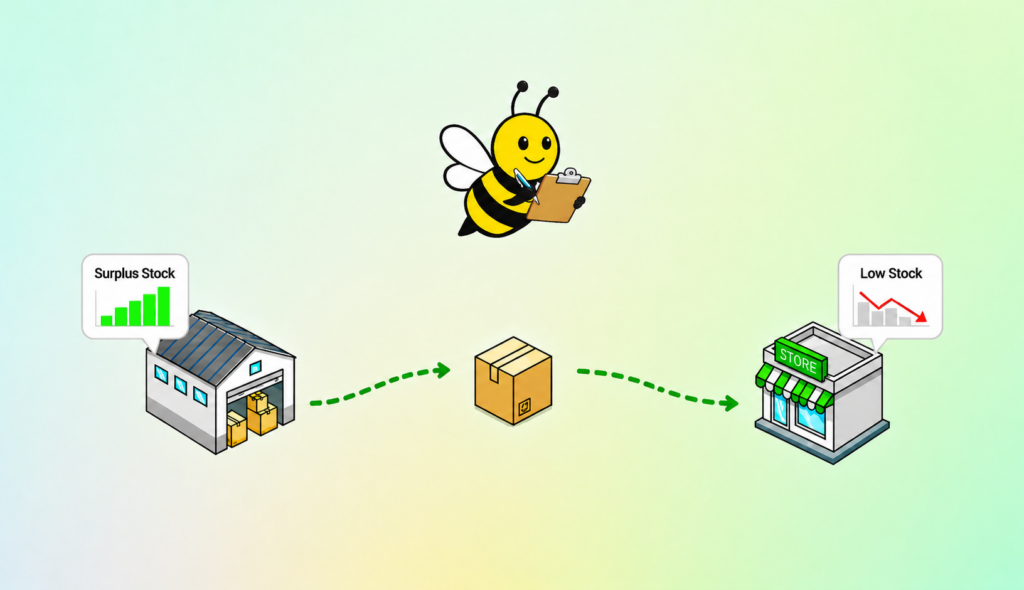
BeeBalanced Transfer Generator finds surplus inventory in one location and recommends to transfer it where demand is higher.
Stop buying stock that you already have!
Find surplus inventory in one location and transfer it where demand is higher.
Sound Familiar?
Without BeeBalanced Transfer Generator
- One location sells out of a product while another is overstocked
- Spend money ordering products you already have enough of
- Spend hours building transfer lists
- Difficulty comparing stock across multiple locations
With BeeBalanced Transfer Generator
- Balance inventory across locations to prevent stockouts
- Transfer existing inventory instead of ordering more
- Instantly generate transfers
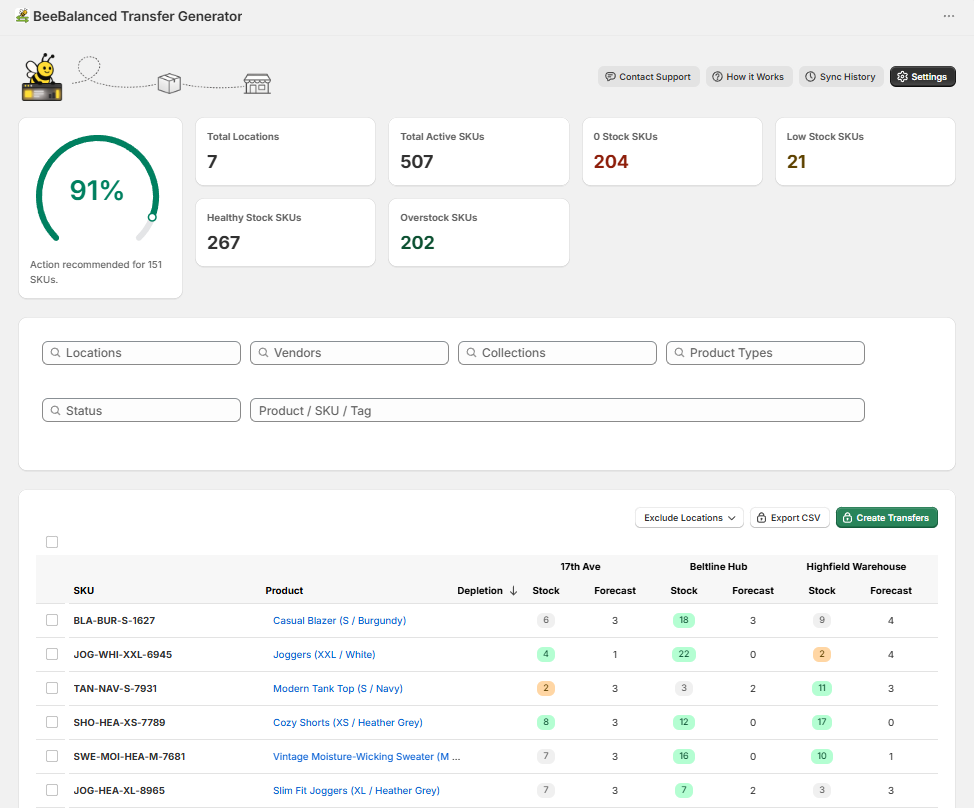
- See location-level inventory clearly in one table
Check the Balance Gauge ➜ Create Transfers ➜ Transport Products
1. Check the Balance Gauge
2. Create Transfers
3. Transport Products
Everything you need to balance your inventory
Sophisticated algorithms evenly balance inventory between locations by analyzing stock and sales data, while also:
• Minimizing unnecessary transfer quantities
• Minimizing the number of locations required to balance inventory
• Sending less or none of a product if the store is overstocked.
Balance Gauge
Shows a score from 0 - 100% to gauge how well inventory is distributed across multiple locations.
Inventory Table
View stock, forecasted sales, and inventory status for every product across every location in one clear table.
Settings
Customize forecasting and transfer preferences so BeeBalanced works the way your business does.
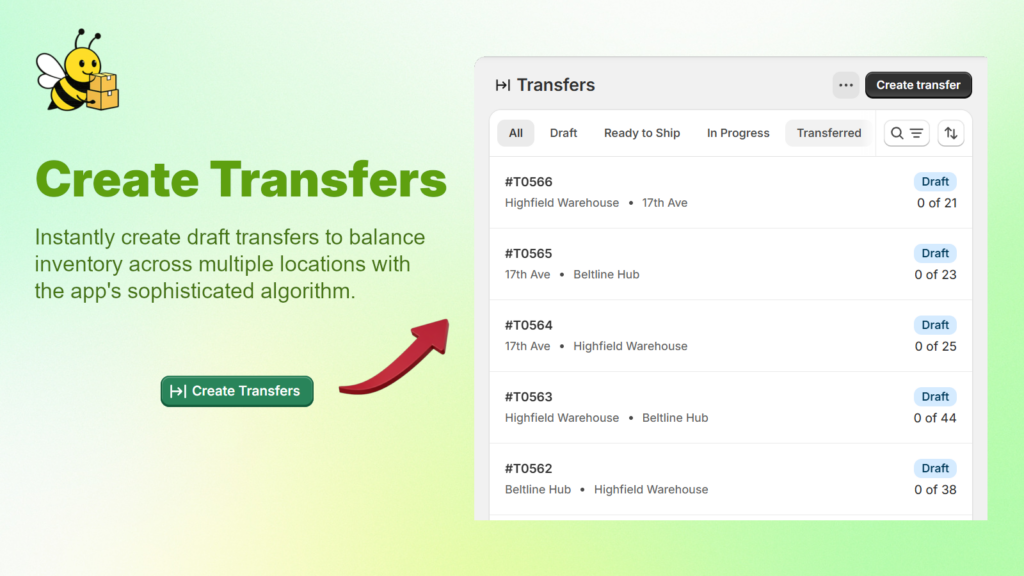
Create Transfers
Generate inventory transfers using stock, forecasted sales, and settings.
CSV Export
Download a spreadsheet with the same values as the inventory table, and the same quantities that would have been generated by Create Transfers.
Data Syncing
Webhooks keep your data synced automatically. Manual syncing lets you refresh data anytime to resolve inconsistencies.
Smart Forecasting
BeeBalanced uses weighted recent sales history and new-arrival logic to create smarter product forecasts for each location. Forecasts are designed to respond to current demand while smoothing out short-term noise, helping merchants make better transfer and ordering decisions.
-
Uses recent and historical sales patterns
-
Accounts for newly arrived products
-
Adjustable forecast period to meet you needs
-
Accurately estimates true demand at each location
Who is the app for?
BeeBalanced Transfer Generator is built for Shopify merchants managing inventory across multiple locations. It helps teams move stock more efficiently, reduce manual transfer planning, and better use inventory they already have.
-
Businesses wanting faster and smarter transfer decisions
-
Businesses moving excess stock to locations that need it more
-
Businesses looking to remove the guesswork from transfer planning
-
Teams needing a clearer view of inventory across all locations
Frequently Asked Questions
What does BeeBalanced Transfer Generator do?
The app’s main feature is to evenly distribute inventory across multiple locations by generating inventory transfers using stock, forecasted sales, and adjustable settings.
An intuitive interface lets you view stock and forecast for each product at each location, while summary cards help you assess how well your inventory is balanced.
How accurate is the sales forecasting for products?
A sophisticated algorithm combines recent and historical sales patterns with new-arrival logic to estimate product demand at each location. Forecast periods are adjustable, so merchants can estimate demand for the number of days that best fits their inventory planning.
Can I edit or undo transfers after they're created?
Yes. Transfers are created as drafts in Shopify which can be deleted, reviewed, or edited before submission.
Can I choose which products or locations are included in the transfers?
Yes. Filters allow you to generate transfers for selected products and locations. Specific routes can even be excluded.
What is “Depletion” on the inventory table?
Sorting by “Depletion” shows which products are expected to run out soonest based on stock and forecasted sales. This can help prioritize which products need attention first.